

So you want a smart home. The question is, should you set it up yourself or pay someone?
I’ve been down both roads. I spent $150 on my own system. I’ve also talked to homeowners who paid $5,000 for a pro to do the same thing.
Both work. But which is right for you? Let’s break it down.
DIY vs Professional Installation: Quick Comparison
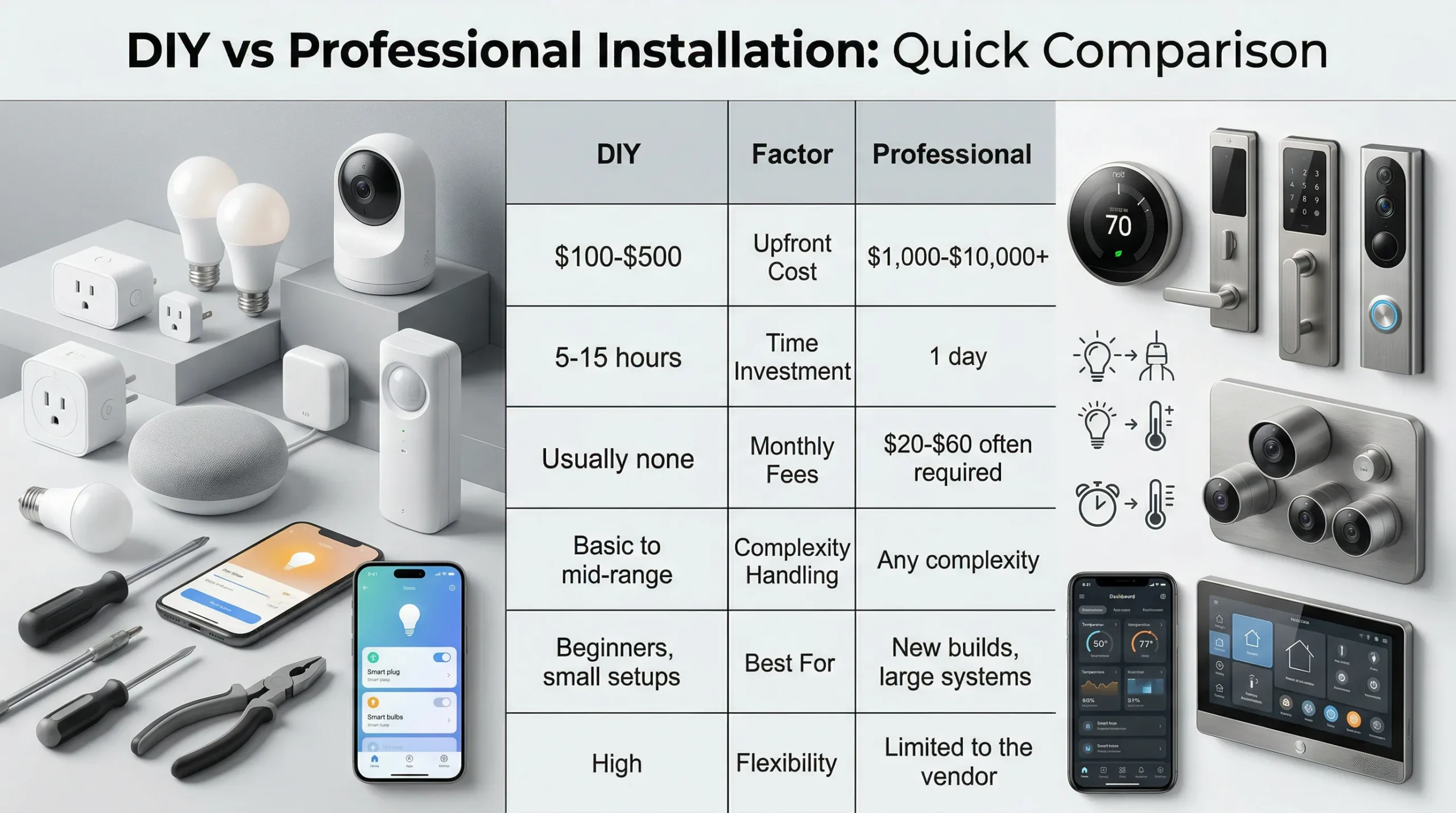
Here is how they stack up.
| Factor | DIY | Professional |
|---|---|---|
| Upfront Cost | $100-$500 | $1,000-$10,000+ |
| Time Investment | 5-15 hours | 1 day |
| Monthly Fees | Usually none | $20-$60 often required |
| Complexity Handling | Basic to mid-range | Any complexity |
| Best For | Beginners, small setups | New builds, large systems |
| Flexibility | High | Limited to the vendor |
What Do You Actually Get with DIY?
DIY means you do everything. You unbox the gear. You follow the instructions. You troubleshoot when things go wrong.
The upside is real. Digitalholics points out that DIY can cut your total project costs by 50-75%. No labor fees. No scheduling.
One smart home owner put it bluntly:
“I installed everything myself over a weekend. Saved roughly $2,000 compared to the quotes I got.”
HomeAdvisor says professional home automation installations can start at $10,000. DIY gear for the same functionality might cost you $500 to $2,000.
But here’s the catch. DIY takes time. It takes patience. And it takes a willingness to Google error codes at 11pm.
What Do You Get with Professional Installation?
Professional installation means someone else handles the hard part. A technician comes to your house. They wire things. They configure everything.
Best Buy charges $129.99 for smart thermostat installation. Smart lighting setup costs $149.99. A full custom smart home setup? That varies.
Angi reports that smart home installations cost $200 to $1,578 on average. Professional installation adds on top of that.
For basic devices, the math doesn’t favor professionals. For whole-home systems with wiring and multi-room control, the math shifts.
When DIY Makes Sense
Here’s my take. DIY makes sense when you’re starting small.
You want a smart speaker. A few bulbs. Maybe a video doorbell. These things are designed for homeowners to install.
AV Experience notes that DIY works best for homeowners who only want a few smart upgrades.
If you’ve never touched a smart home device before, start here. Get one or two things. Learn how they work.
If you hate it, you’ve lost $100 to $300. If you love it, you know what to add next.

When Professional Makes Sense
Professional installation makes sense when things get complicated.
New construction is the obvious case. If you’re building a house, wire it smart from the start. Running cables during construction costs almost nothing compared to retrofitting later.
Large systems are another case. Whole-home audio. Multi-room video. Security systems with sensors and cameras.
One smart home owner warned that, for whole-home automation, you’re facing serious wiring decisions that will affect your home for decades.
In that scenario, a professional isn’t a luxury. They’re a necessity.
The Hidden Costs Nobody Talks About
Here’s what nobody tells you upfront.
DIY has hidden time costs. Your time is worth something. If you spend 10 hours setting up a smart home, that’s time you didn’t spend on something else.
The professional has hidden contract costs. Many pro-installed systems require monthly monitoring fees. ADT, Vivint, and Brinks all want $20 to $60 per month.
Over five years, that’s ,200 to ,600 in fees on top of your installation costs. TechPro Home Automation puts it simply:
the main DIY advantage is eliminating professional service fees.
Don’t just compare gear costs. Compare the total cost of ownership over three to five years.
The Real Answer for Beginners
Here’s the honest truth. Most beginners should start DIY.
Not because professionals are bad. Because you probably don’t need them yet.
Start with a basic setup. A voice assistant. Three or four smart devices. Use them for a month. Figure out what you actually want.
If you outgrow DIY, you’ll know. You’ll hit limits. You’ll want things that are harder to self-install. That’s when you call a pro.
If you never outgrow it, you’ve saved thousands of dollars and learned useful skills.
My Recommendation
Start DIY. Seriously.
Get a starter kit. Set it up yourself. Learn what works and what doesn’t. Then decide if you need professional help.
If you move into a new house, consider professional upfront planning. But even then, you can often install the gear yourself and just pay for design consultation.
The worst outcome is paying $5,000 for a professional system and then realizing you only use three features out of twenty.
The best outcome is building exactly what you need, at your pace, for a price that makes sense.
The Bottom Line
DIY vs professional isn’t a right-or-wrong question. It’s a what-stage-are-you-in question.
Beginners should start DIY. Outgrow it, then upgrade. That’s my take.
Most people never need professional installation. The gear is too good now. The instructions are too clear. And the savings are too real to ignore.
Start small. Go slow. Add only what you’ll actually use.
That’s how you build a smart home that actually makes your life better.
