
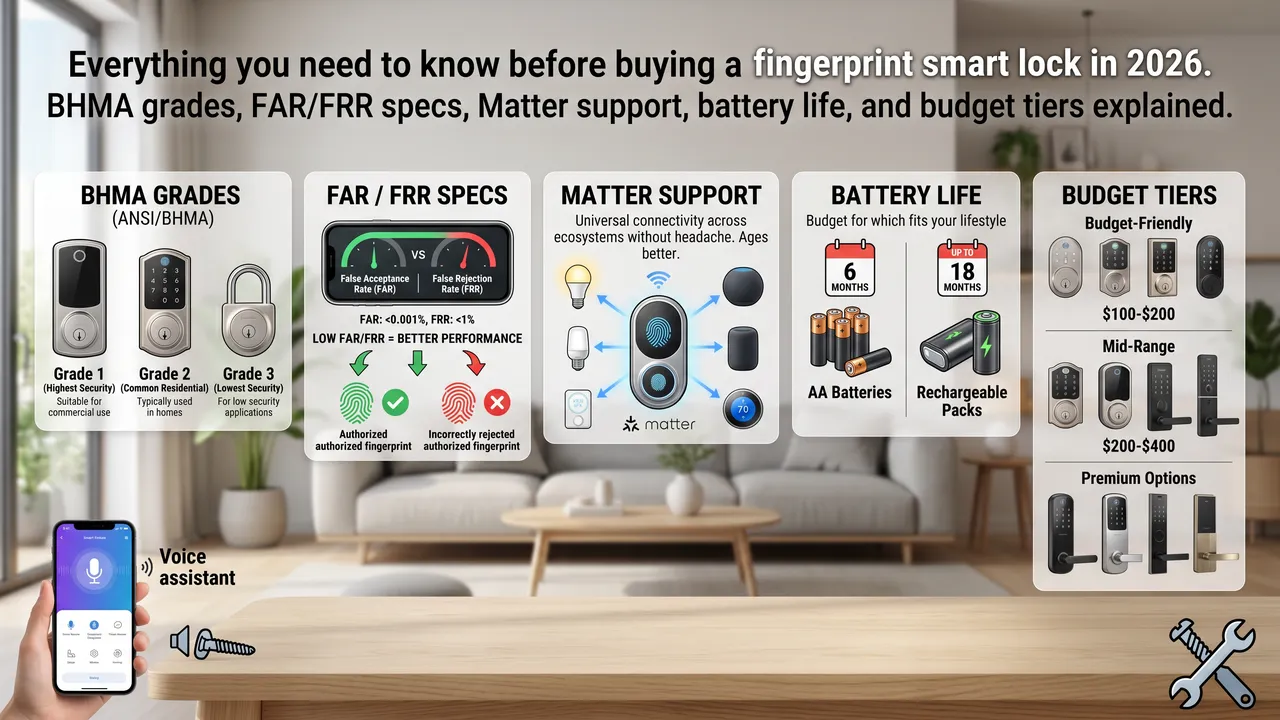
The first time I bought a fingerprint smart lock, I looked at the specs sheet and had no idea what any of it meant.
False acceptance rate? BHMA Grade 2? Matter over Thread?
I just wanted a lock that would recognize my finger when I got home.
Six months later, I’ve tested more locks than any reasonable person should. I’ve read every spec sheet I could find. I’ve talked to actual engineers about how this stuff works.
Here’s what I learned, in plain English.
Quick Checklist Before You Buy
Here is what to verify before purchasing any fingerprint lock.
- Is your door compatible? Test it first. A smart lock will not fix a door that does not close properly.
- Check your door thickness, backset, and whether you need a right-hand or left-hand model.
- Does it have backup access? At minimum, keypad and physical key. Don’t buy a lock that has only fingerprint.
- What is the BHMA grade? Grade 2 is the minimum for exterior doors.
- Does it support Matter if you care about cross-platform? Yes means your lock works with Apple, Google, Amazon, and Samsung simultaneously.
- What is the battery type and estimated life? Rechargeable or AA? Does the claimed life match real-world testing?
- What is the operating temperature range? Verify it covers your local climate extremes.
- Does it have anti-tamper features? Look for anti-relay attack protection and secure element encryption for stored biometric data.
Fingerprint Recognition: What Actually Matters
The marketing on fingerprint locks loves to throw around numbers like “99.9% accuracy.” That number is basically meaningless without context.
What you really care about is FAR and FRR. FAR is your False Acceptance Rate, which tells you how often the lock lets in someone who isn’t you. FRR is your False Rejection Rate, which tells you how often it fails to recognize you when you are you.
For home use, FRR matters more. A lock with 0.1% FRR will fail to recognize you once every thousand tries.
The better locks in 2026 use AI that learns your fingerprint over time. Advanced fingerprint algorithms include adaptive learning. The lock refines its stored fingerprint data every time you use it. It gets better at recognizing you the more you use it.
Recognition speed is worth paying attention to. The fastest locks unlock in 0.3 to 0.5 seconds. Some cheaper models take 1 to 2 seconds, which sounds minor but gets old fast.
Security Certification: What BHMA Grades Actually Mean
This confused me longer than it should have. It’s actually simple once someone explains it.
BHMA certification is tough. If a lock meets top standards on 14 out of 15 tests but gets a B on one, it earns the lowest grade from those tests. No faking it.
Grade 1 is commercial-grade. These locks withstand at least 10 ramming attack blows and are designed for high-traffic commercial doors. Most homeowners don’t need this.
Grade 2 is what you want for a residential front door. Grade 2 offers suitable protection for most homes. It’s the sweet spot between security and cost.
Grade 3 is basic. It’s fine for interior doors, but not recommended for exterior front doors where security matters.
Here’s something most people miss. Adding a smart lock to an existing deadbolt doesn’t upgrade the deadbolt’s security grade.
If your existing lock is Grade 3, your new smart lock is only as secure as that Grade 3 deadbolt underneath.
Matter Support: Future-Proofing Your Purchase
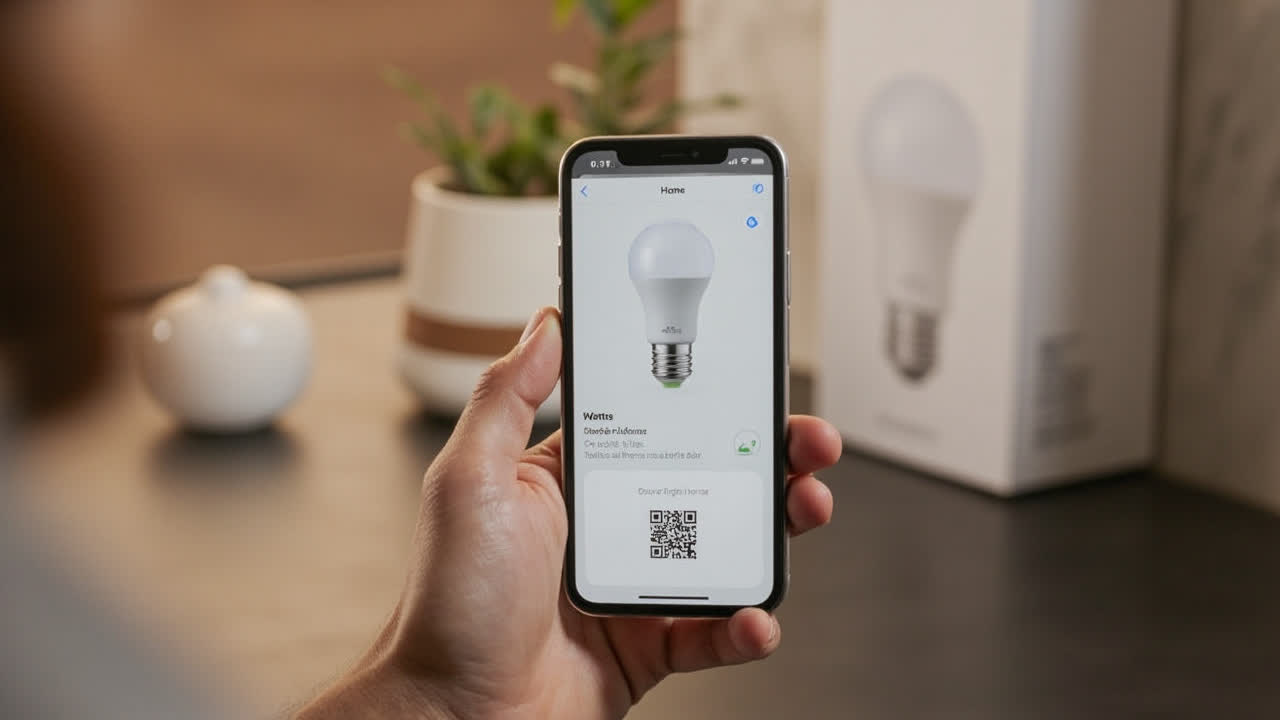
If you’re building a smart home in 2026, Matter is the word you need to know.
Matter is a universal smart home standard that lets devices from different brands talk to each other without a headache. A lock with Matter support works with Apple Home, Google Home, Amazon Alexa, and Samsung SmartThings simultaneously. You’re not locked into one ecosystem.
Not every lock has this yet. Many still use proprietary protocols that require specific hubs or bridges. If you want your lock to still work with whatever smart home system you switch to in three years, Matter is the answer.
Battery Life: What to Actually Expect
Every manufacturer claims excellent battery life. Reality is different.
The ThirstyBear testing found that battery life claims of 6 months often translated to 3 to 4 months in real-world use. Wi-Fi and fingerprint scanning both drain battery faster than the specs imply.
Thread and Matter over Thread use significantly less power than Wi-Fi. If you want your lock to actually last a year on batteries, get a lock with Matter over Thread support.
Two battery types to know about. Most fingerprint locks use AA batteries. Easy to replace anywhere.
Some premium locks use rechargeable lithium packs. The Verge notes that rechargeable packs often last up to 12 months. But when they die, you need to remember to charge them.
Multiple Unlock Methods: Why You Need More Than Fingerprint
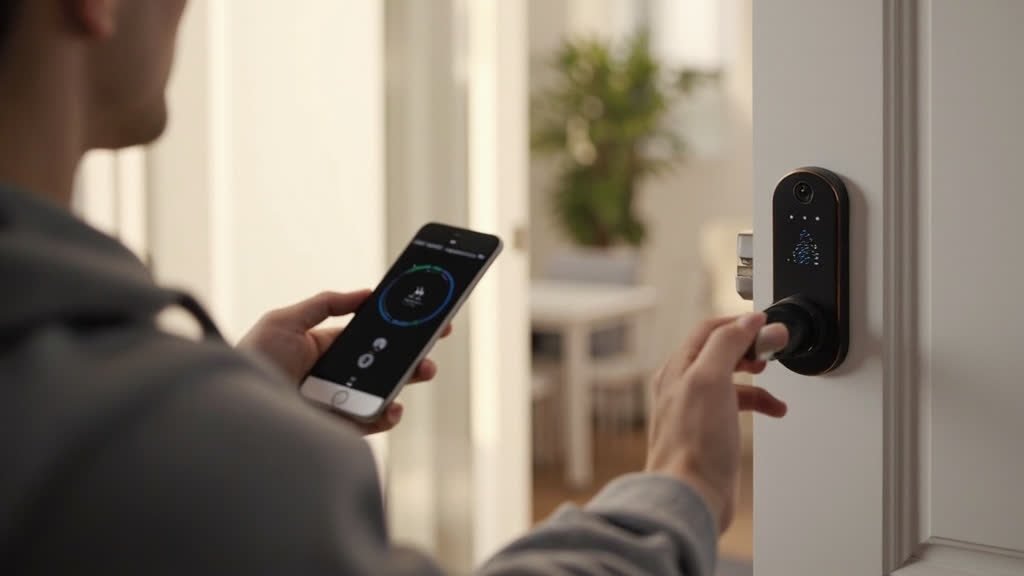
This is the mistake I see most often. People buy a fingerprint-only lock because it sounds cool. Then winter comes.
Cold weather is the fingerprint lock’s enemy number one. Below 41 degrees Fahrenheit, the sensor has trouble reading your print because cold air reduces blood flow to your fingertips and changes skin conductivity.
At minimum, your lock should have fingerprint plus keypad. Better yet: fingerprint, keypad, app control, and physical key backup. The more ways in, the less you’re locked out when one method fails.
Some locks now offer NFC tap-to-unlock via smartphone or key fob. Wirecutter found that fingerprint was faster and more reliable than NFC tap-to-pay on the same lock, which mirrors my experience. But NFC is still better than fishing for your keys.
Weather Resistance: Check This Before You Buy
Not all fingerprint locks are rated for outdoor use. Some are designed for interior doors only and will fail if installed on an exterior door that faces rain or direct sunlight.
Look for an IP rating. IP65 is the minimum for outdoor use in most climates. This means the lock is dust-tight and protected against water jets from any direction.
Some locks go higher to IP67, which can handle temporary submersion.
Temperature range matters too. If you live somewhere that gets colder than that, verify the lock’s actual temperature range before buying.
What to Buy at Every Budget
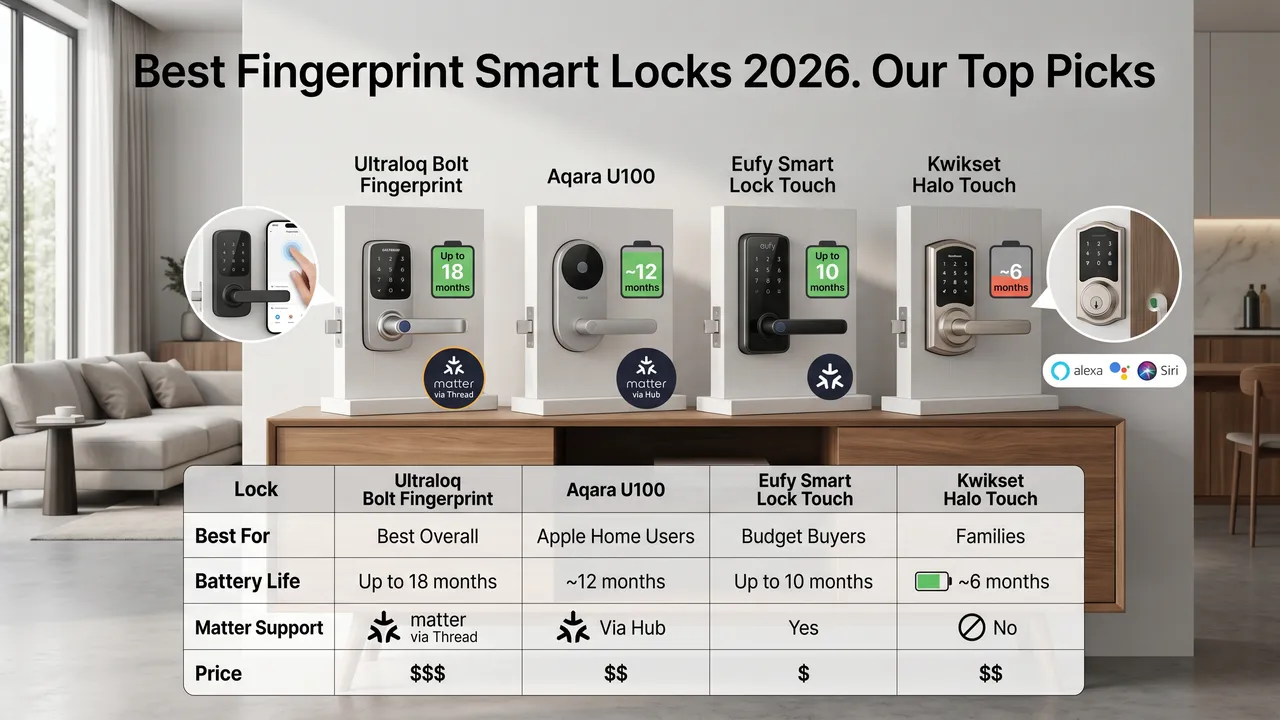
Here’s the honest breakdown of what your money gets you.
Under $100: Basic fingerprint locks with limited features. The TEEHO TE002 is frequently recommended as the best budget option.
Don’t expect Matter support, Wi-Fi, or premium build quality. But the fingerprint reader will work.
$100 to $200: The sweet spot for most people. The Ultraloq Bolt SE with AI-driven fingerprint recognition. The Aqara U100 is for you if you’re in the Apple ecosystem.
Eufy locks in this range. You’ll get Matter support, decent build quality, and reliable fingerprint performance.
$200 to $300: Premium territory. The full Ultraloq Bolt Fingerprint with Matter over Thread. Yale Assure Lock 2 with Home Key support.
Higher-end Eufy models with video doorbell combos. At this price, you’re paying for build quality, cross-platform support, and features like AI learning.
$300 and up: Advanced features like lock-and-doorbell combos. The Eufy FamliLock S3 Max is a good example. Level Lock Pro for invisible aesthetics.
Unless you have specific needs, most buyers don’t need to spend this much.
The Bottom Line
Here’s my honest take after months of testing.
Get a lock with at least two backup access methods. Fingerprint plus keypad plus physical key. That’s the minimum that won’t leave you stranded.
Get BHMA Grade 2 certification. It’s the residential standard that actually means something. Anything less and you’re gambling with your front door security.
If you have a smart home or plan to build one, pay extra for Matter support. It future-proofs your purchase in a way that almost nothing else does.
Most people will be perfectly happy in the $100 to $200 range. The features in locks costing $300 or more are nice-to-haves, not must-haves.
And verify weather ratings and temperature range before you buy. An outdoor lock that can’t handle your local climate is a waste of money, no matter how good the fingerprint sensor is.
The best fingerprint smart lock for you depends on your door, your climate, your ecosystem, and your budget. With the specs in this guide, you’ll know what questions to ask and what answers actually matter.
