

Everything you need to know to protect your home without breaking the bank
—
My neighbor’s house got broken into last month. That’s when I realized: I need to do something. I started researching smart home security.
Two weeks later, I set up my first system. Here’s what I learned.
Why Smart Home Security Matters in 2026
Home break-ins happen every 30 seconds in the US. That’s scary. But here’s the thing: most burglars avoid homes with visible security systems.
One study found that 60% of burglars would choose a different target if they saw a camera or alarm.
Smart home security isn’t just about cameras anymore. It’s about peace of mind.
You can check who’s at your door from anywhere. Get alerts when motion is detected. Even scare intruders away remotely.
What Do You Actually Need?
You don’t need to spend thousands. Here’s the basic setup most beginners start with:
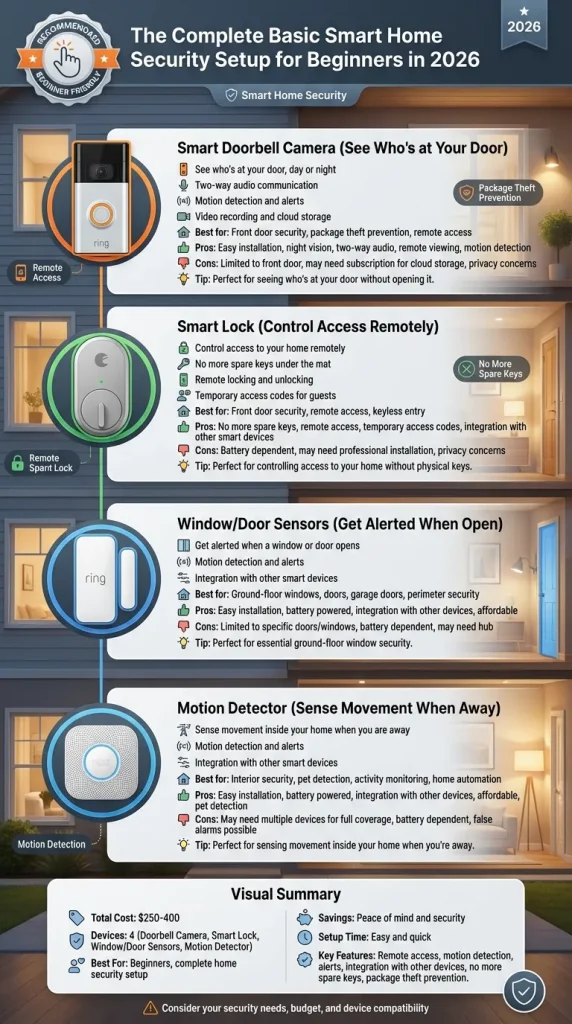
- Smart doorbell camera: See who’s at your door, day or night. Starts at $80.
- Smart lock: Control access to your home remotely. No more spare keys under the mat.
- Window/door sensors: Get alerted when a window or door opens. Essential for ground-floor windows.
- Motion detector: Sense movement inside your home when you are away.
You can start with just the doorbell camera. Add more as your budget allows.
How Much Does It Cost in 2026?
Here’s the breakdown from what I researched:
- DIY Basic ($150-300): Wyze, eufy, Ring Alarm kit
- DIY Premium ($300-600): SimpliSafe, Arlo, Google Nest
- Pro Monitoring ($20-40/month): ADT, Ring Protect Plus
Reddit users recommend starting with DIY. One user said: “I started with a $120 doorbell camera. Added sensors over time. Total cost so far is under $400.”
The Best Starter Devices According to Reddit
We searched Reddit for the most recommended brands:
Doorbell cameras: Ring Video Doorbell, Google Nest Doorbell, Eufy Video Doorbell
Smart locks: August WiFi Smart Lock, Schlage Encode, Yale Assure
Security kits: SimpliSafe, Ring Alarm, Wyze Home Monitoring
The key is choosing devices that work together. Stick with one ecosystem if possible.
Setting It Up: What to Expect
Here’s the truth: setup is way easier than it used to be. Most devices now work in minutes. No wiring needed. No professional help required.
Day 1: Install doorbell camera. Takes about 30 minutes. Download the app.
Day 2-3: Add smart locks. Configure alerts.
Week 1: Add sensors to windows and doors. Set up automation rules.
One user noted, “I was terrified to set it up. Turns out I’m not that dumb. Took me two hours for the whole system.”
The Bottom Line
You don’t need an expensive system to get started. Start small. A doorbell camera alone makes a huge difference. Add more pieces as you learn what works for your home.
The best security system is one you’ll actually use. Don’t overcomplicate it. Start simple. Build from there.