
I’ll be honest. I spent about $800 on smart home devices in my first year. Half of them now sit in a drawer somewhere.
Why? Because I jumped in without knowing what I was doing.
If you’re thinking about building your first smart home, let me save you some money and frustration. After reading hundreds of posts and chatting with real users, I found the biggest pain points that keep coming up.
The Biggest Smart Home Problems in 2026
One Reddit poll asked users what their biggest frustration was. Here’s what they said:
- Compatibility issues — 33%
- Security concerns — 28%
- Complex installation — 22%
- Device reliability — 17%
That’s a lot of unhappy smart home owners. But here’s the thing. Most of these problems are avoidable if you know what to look for before you buy.
Pain Point #1: Compatibility Nightmares
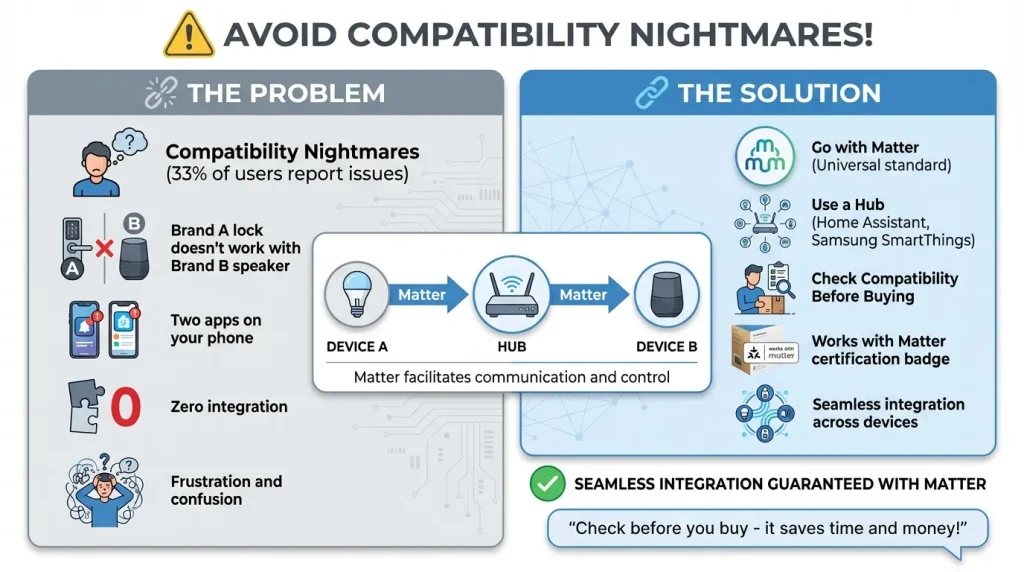
This is the big one. You buy a fancy smart lock from Brand A, then realize it doesn’t work with your existing smart speaker from Brand B. Now you have two apps on your phone and zero integration.
Here’s how to avoid this mess.
Go with Matter. Matter is a new smart home standard that most major brands are adopting. If a device says “Works with Matter,” it’ll play nice with almost everything else.
Use a hub. Something like Home Assistant or Samsung SmartThings can bridge devices that wouldn’t otherwise talk to each other. Yes, there’s a learning curve, but it’s worth it.
Check before you buy. Spend two minutes on the manufacturer’s website. Look for the words “works with” and make sure your existing devices are on that list.
Pain Point #2: Security and Privacy Risks
This scared me. After reading about camera hacks and data breaches, I almost gave up on smart home entirely.
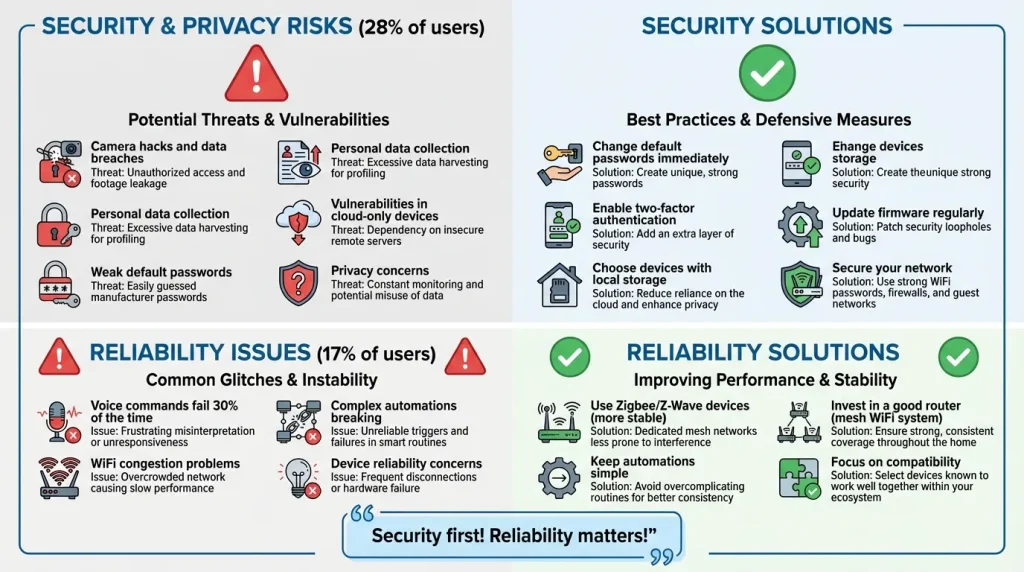
Here’s what real users are worried about:
- Cameras getting hijacked
- Personal data being collected
- Weak passwords on default settings
Here’s how to protect yourself.
Change default passwords immediately. I know it’s obvious, but most people don’t do it.
Enable two-factor authentication. If your smart home app offers it, turn it on. Yes, it’s one extra step, but it’s worth it.
Choose devices with local storage. Cloud-only cameras and doorbells can be more vulnerable. Look for options that store footage on a local device.
Update your firmware. Manufacturers release security patches. Don’t ignore those update notifications.
Pain Point #3: Reliability Issues
“My voice commands only work about 70% of the time.” That’s a direct quote from a Reddit user, and honestly? I feel that pain.
Nothing is more annoying than standing in front of your smart lights, screaming, “Hey Google, turn on the lights,” while your guests watch awkwardly.
Here’s what helps.
Don’t rely solely on WiFi. Zigbee and Z-Wave devices communicate differently and tend to be more stable. They’re not as affected by WiFi congestion.
Invest in a good router. Your smart home is only as good as your network. A mesh WiFi system can make a huge difference.
Keep automations simple. The more complex your routines, the more likely something will break.
Pain Point #4: Too Complicated
Here’s the truth. Some smart homes require a computer engineering degree to set up. That’s not what most people want.
I get it. You just want your lights to turn off when you leave the room, not spend three hours configuring YAML files.
Start simple.
- Smart bulbs. Just screw them in and download an app.
- Smart plugs. The easiest way to make anything “smart”.
- A smart speaker. Start with one ecosystem and stick with it.
You can always get more advanced later. But building too fast is the fastest way to burn out.
What to Buy First in 2026
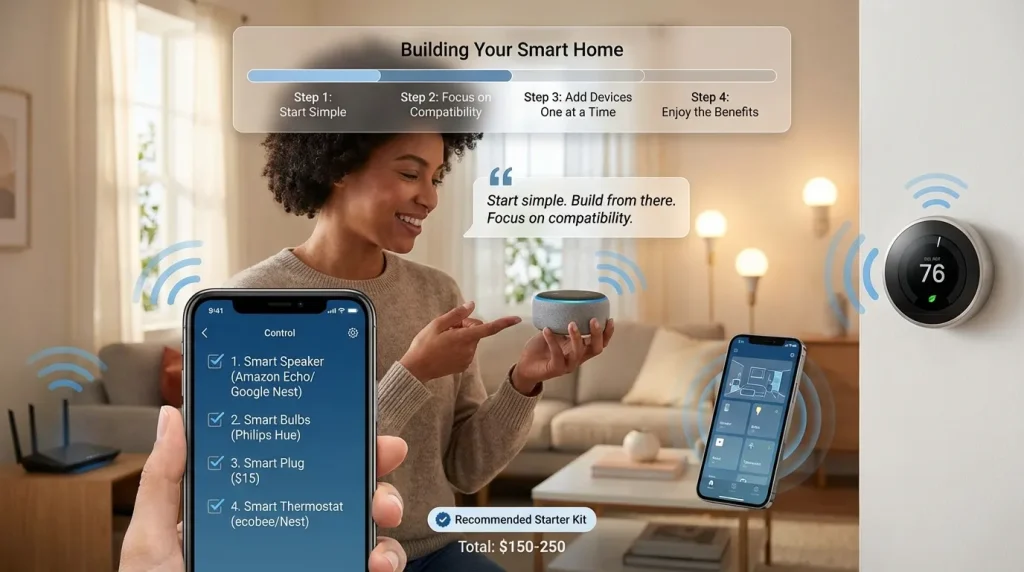
Based on what I’ve learned, here’s my suggested starter list:
- A good smart speaker. Amazon Echo or Google Nest. Pick whichever ecosystem you think you’ll prefer.
- Two or three smart bulbs. Philips Hue or equivalent. Start in one room.
- A smart plug. Great for testing the waters. Cost around $15.
- A smart thermostat. ecobee or Nest. This one actually saves you money.
That’s it. Build from there. Add devices one at a time and make sure each one works well before adding the next.
Final Thoughts
Look, I’m not saying don’t get a smart home. My setup now is pretty awesome. Lights turn on automatically. My thermostat saves me money. I can check who’s at the door from anywhere in the world.
But I made a lot of mistakes so you don’t have to. The key is simple. Do your research. Start small. Focus on compatibility.
If you have questions about a specific device or setup, drop me a comment. I’m still learning too.